Table of Contents
UPSC URN Registration 2026: The Union Public Service Commission (UPSC) has introduced a major change in its registration system by replacing the old One Time Registration (OTR) with the new Universal Registration Number (URN) system.
This update has created confusion among many aspirants — especially those who had already registered using OTR in previous years. This article explains the new system in simple terms and clears the most common doubts.
UPSC URN Registration 2026: Why Did UPSC Remove the OTR System?
UPSC introduced URN to:
-
Create a single permanent identity for every candidate
-
Improve data security and verification process
-
Reduce duplicate registrations
-
Make application tracking easier across multiple exams
The shift is part of UPSC’s long-term move toward a more centralized digital recruitment system.
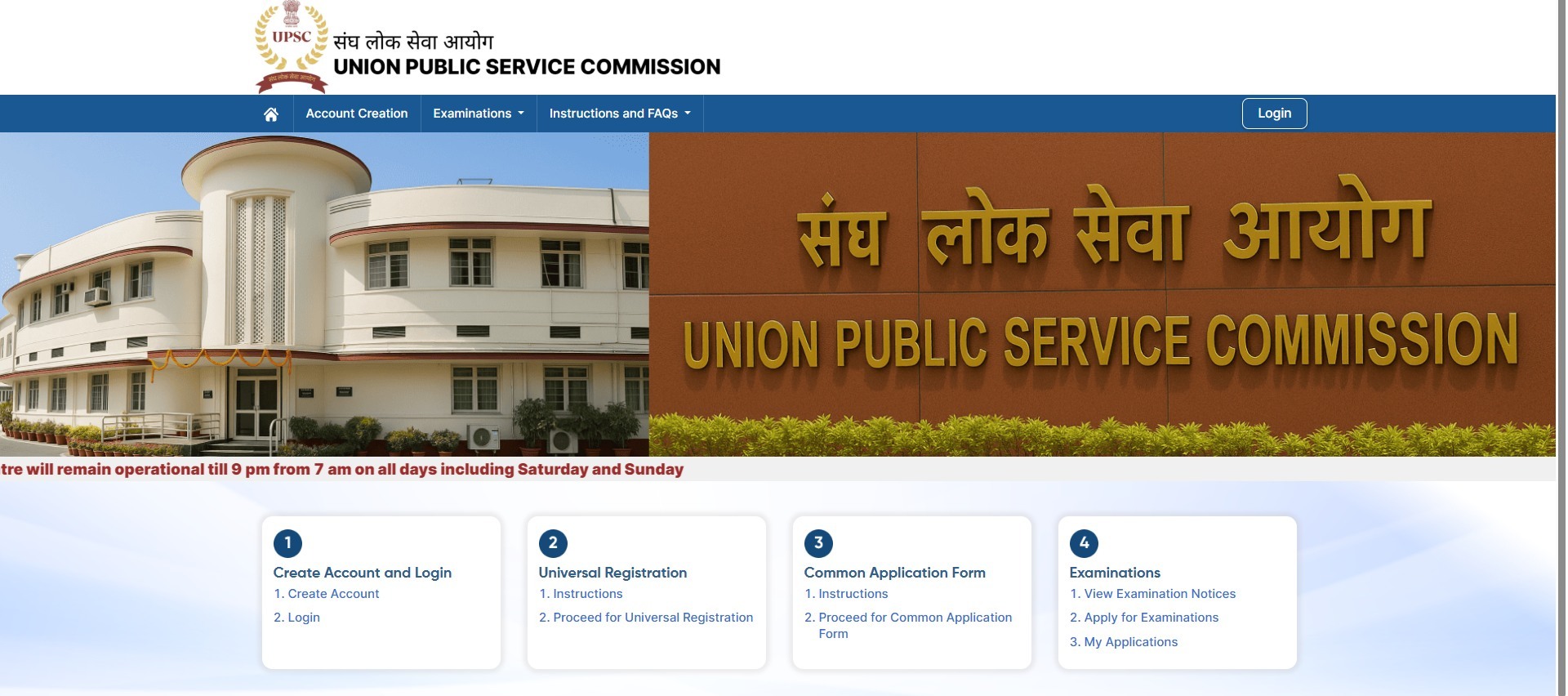
What is UPSC URN Registration 2026 (Universal Registration Number)?
The Universal Registration Number (URN) is a unique identification number assigned to each candidate registering with UPSC. Unlike OTR, which functioned as a profile-based login system, URN acts as a permanent digital identity for candidates throughout their interaction with UPSC exams.
Key characteristics of URN include:
- Lifetime validity for all UPSC exams
- Single identity for multiple applications
- Centralized database linkage
- Enhanced security and verification system
- Simplified document verification process
Once a URN is generated, candidates are expected to use the same number for all future UPSC applications.
OTR vs URN – Key Differences
The shift from OTR to URN is not just a name change; it represents a structural change in how candidate data is stored and used.
| Feature | OTR (Old) | URN (New) |
|---|---|---|
| Nature | Profile-based registration | Unique candidate identity number |
| Validity | For profile login | Lifetime candidate tracking |
| Security | Basic | More advanced and centralized |
| Future Use | Discontinued | Mandatory going forward |
Biggest Confusions Among Aspirants (Answered)
1. I Had OTR Earlier – Do I Need to Register Again?
Yes. UPSC requires fresh URN generation.
2. Will My Old Application Data Be Lost?
Usually no. Past exam records remain in the UPSC database, but future forms may require URN.
3. Is URN Mandatory for All Exams Now?
For upcoming cycles, most likely yes. Always check the official notification before applying.
4. Can I Use Same Email and Mobile Number?
Usually yes, unless already linked to another URN.
5. Is URN Only for the Civil Services Exam (CSE)?
No. It is expected to be used across multiple UPSC recruitments.
Step-by-Step Overview of URN Registration Process
-
Visit the official UPSC portal
-
Click on New Registration or URN Registration section
-
Enter personal details such as name, date of birth, and contact details
-
Verify mobile number through OTP
-
Verify email address
-
Submit details and generate URN
-
Save URN carefully for future use
Common Mistakes to Avoid
Many candidates make small mistakes during registration which can cause major issues later.
Common mistakes include:
- Creating multiple registrations
- Using temporary email IDs
- Entering name differently than official documents
- Ignoring verification emails
- Losing URN details
Aspirants should maintain consistency in all documents and applications.
How This Change Helps Aspirants
-
Faster form filling
-
Less document repetition
-
Better tracking of applications
-
Transparent verification system
UPSC Preparation Perspective
Since UPSC is moving toward digital identity-based recruitment:
-
Keep the same email and mobile active long term
-
Save URN securely
-
Use same details across exams
What Aspirants Should Do Now
Candidates should:
-
Stay updated with official UPSC notifications
-
Register for URN when required
-
Keep mobile number and email active long-term
-
Store URN securely in multiple places
-
Avoid multiple registrations
Future Impact of URN System
The URN system may help UPSC in:
-
Digital document vault integration
-
Faster admit card generation
-
Simplified verification during interview stages
|
Explore StudyIQ Courses |
|
 UPSC History Optional Syllabus 2026: Com...
 UPSC Sociology Optional Syllabus 2026: C...













 WhatsApp